
Blog post · 2026-07-07
Designing a structured light app architecture
Refactoring the e-light app into three modular components
In this post, I describe the redesign of the fundamental architecture for the e-light structured light app, which I'm currently developing.
The new architecture is based on a modular design that splits the app into three main modules (the engine, the scanner agent, and the user interface), each with a clear responsibility. This design allows for more flexibility, better separation of concerns, distributed setups, and easier customization.
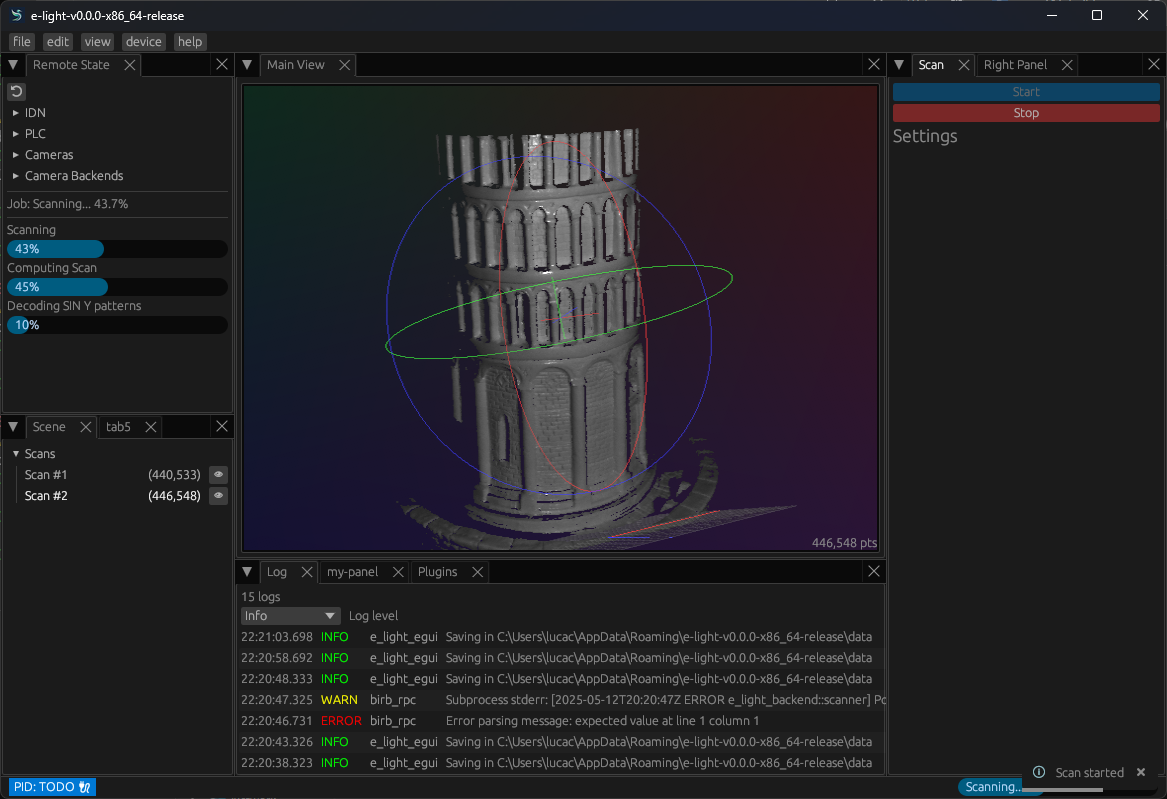
A screenshot of the current e-light app main window.
This is a blog post about a planned architecture. Some design choices will likely change as I implement this for real.
For a while now, I’ve been coming back to my structured light scanner software, but the high-level architecture always bugged me. The current design has a “backend” that talks to the camera and runs the scan, and a “frontend” GUI that communicates over RPC. Simple enough — but as the project grew, cracks started to show:
- Who should process raw images and reconstruct meshes?
- Who handles calibration, alignment, and data management?
- Sending raw images over the wire just for the frontend to process them seems wasteful — so where’s the real boundary?
- And where do plugins fit in?
I sat down and worked out a new plan. Here it is.
The new architecture
The application is a shell1: a thin orchestration layer that wires together three main components:
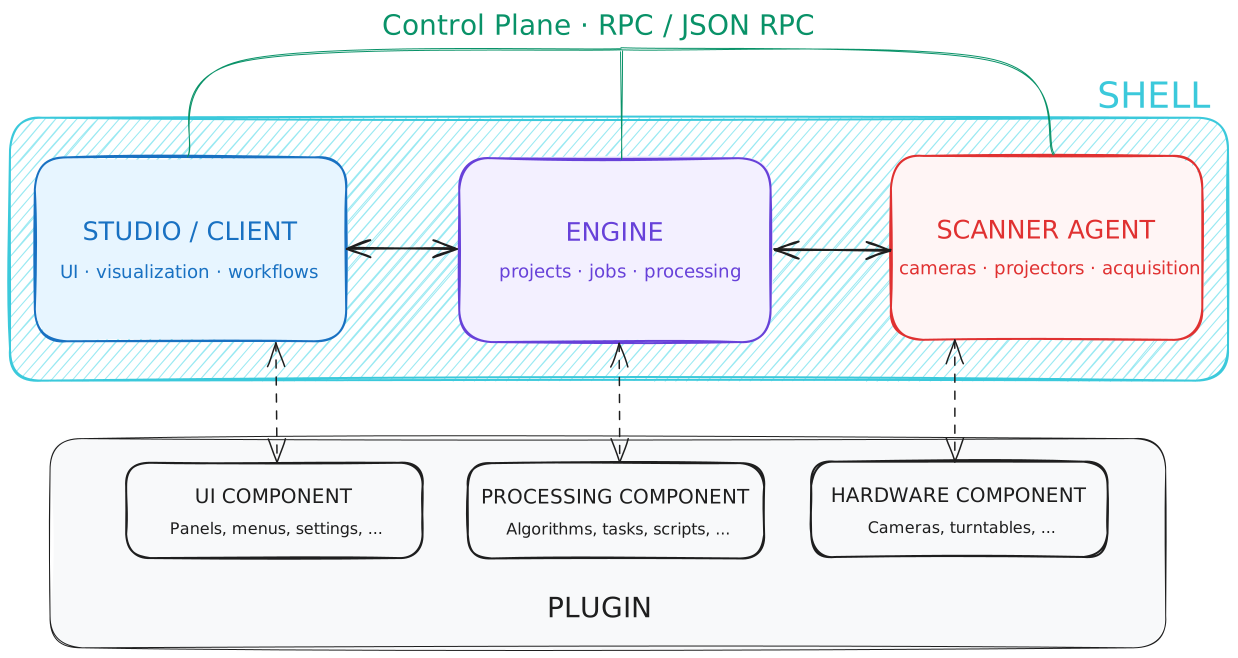
The three main components: engine, scanner agent, and user interface.
Engine
This is the brain. It orchestrates scans, processes data, runs reconstruction algorithms, and manages projects. It’s designed to run on a capable machine and exposes its functionality over RPC. Other components never call into the engine directly — they talk through a well-defined API contract.
Scanner agent
The agent lives close to the hardware: it controls the camera, projector, turntables, and any other peripherals. It’s deliberately lightweight: it captures data and optionally does early processing (like turning raw images into a point cloud), but it doesn’t own any persistent state.
It can run on something as small as a Raspberry Pi.
User interface
The UI is just a client. It sends commands to the engine and displays results. Because it doesn’t own any logic beyond presentation, it could be swapped for a different frontend (CLI, web app, etc.) without touching anything else.
Shell
The shell is the glue. It starts each component, handles their lifecycle, and provides a unified CLI for the user. That’s it. No business logic lives here.
Plugin system
Plugins are trickier. I have some ideas, but honestly I need to let the core architecture settle before designing the extension system properly. I’ll tackle that once the three main components are solid.
Why this works
The key insight is that the computation boundary is now flexible.
The scanner agent can choose to process raw images into a point cloud before sending them to the engine, or just forward the raw data. An SBC with limited RAM might pick the latter; a more capable machine could do the early processing locally. Either way, the engine handles everything after that (reconstruction, alignment, calibration) on a machine that’s actually built for it.
The UI stays out of heavy computation entirely. It asks the engine to do the work, because the engine is the one that owns the data.
Running everything on one machine? Fine. Spreading components across three devices? Also fine. The split is purely about responsibility, not deployment.
Footnotes
-
A shell here means that the application is a thin layer that orchestrates the engine, scanner agent, and user interface together, delegating all the heavy lifting to those components rather than implementing much logic itself. ↩